Port MCP server
The Port MCP server does not use Port AI capabilities. You can install and use it without enabling Port AI features or accepting the Port AI Terms.
The Port Model Context Protocol (MCP) Server acts as a bridge, enabling Large Language Models (LLMs) - like those powering Claude, Cursor, or GitHub Copilot - to interact directly with your Port.io developer portal. This allows you to leverage natural language to query your software catalog, analyze service health, manage resources, and even streamline development workflows, all from your preferred interfaces.
The Port MCP server is separate from Port AI. Your IDE or chat client runs the LLM; Port only exposes catalog tools.
Why integrate LLMs with your developer portal?
The primary advantage of the Port MCP Server is the ability to bring your developer portal's data and actions into the conversational interfaces you already use. This offers several benefits:
- Reduced context switching: Access Port information and initiate actions without leaving your IDE or chat tool.
- Increased efficiency: Get answers and perform tasks faster using natural language commands.
- Improved developer experience: Make your developer portal more accessible and intuitive to interact with.
- Enhanced data-driven decisions: Easily pull specific data points from Port to inform your work in real-time.
As one user put it:
"It would be interesting to build a use case where a developer could ask Copilot from his IDE about stuff Port knows about, without actually having to go to Port."
The Port MCP Server directly enables these kinds of valuable, in-context interactions.
Key capabilities and use-cases
The Port MCP Server enables you to interact with your Port data and capabilities directly through natural language within your chosen LLM-powered tools. Here's what you can achieve:
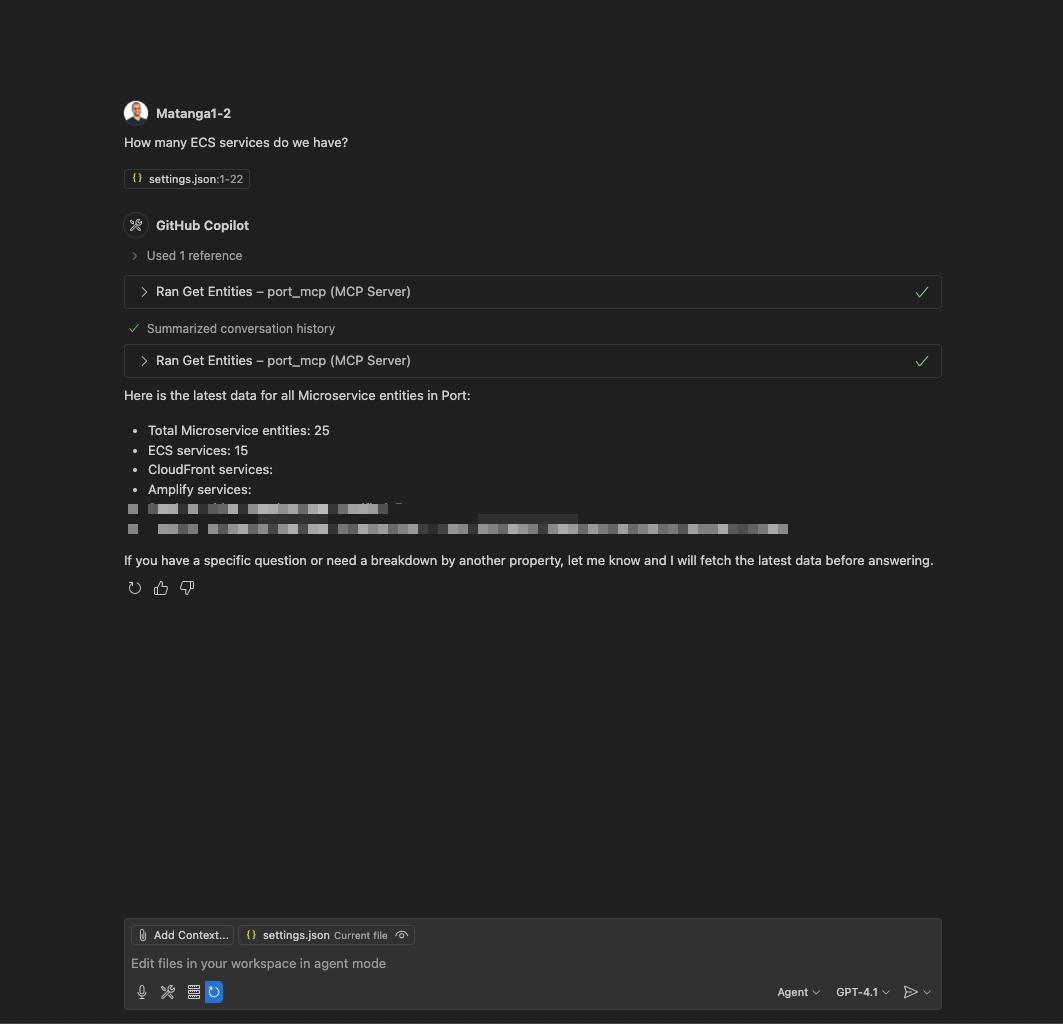
Find information quickly
Effortlessly query your software catalog and get immediate answers. This eliminates the need to navigate through UIs or write complex API queries when you need information.
- Ask: "Who is the owner of service X?"
- Ask: "How many services do we have in production?"
- Ask: "Show me all the microservices owned by the Backend team."
- Ask: "What are the dependencies of the 'OrderProcessing' service?"
Vibe-build in Port
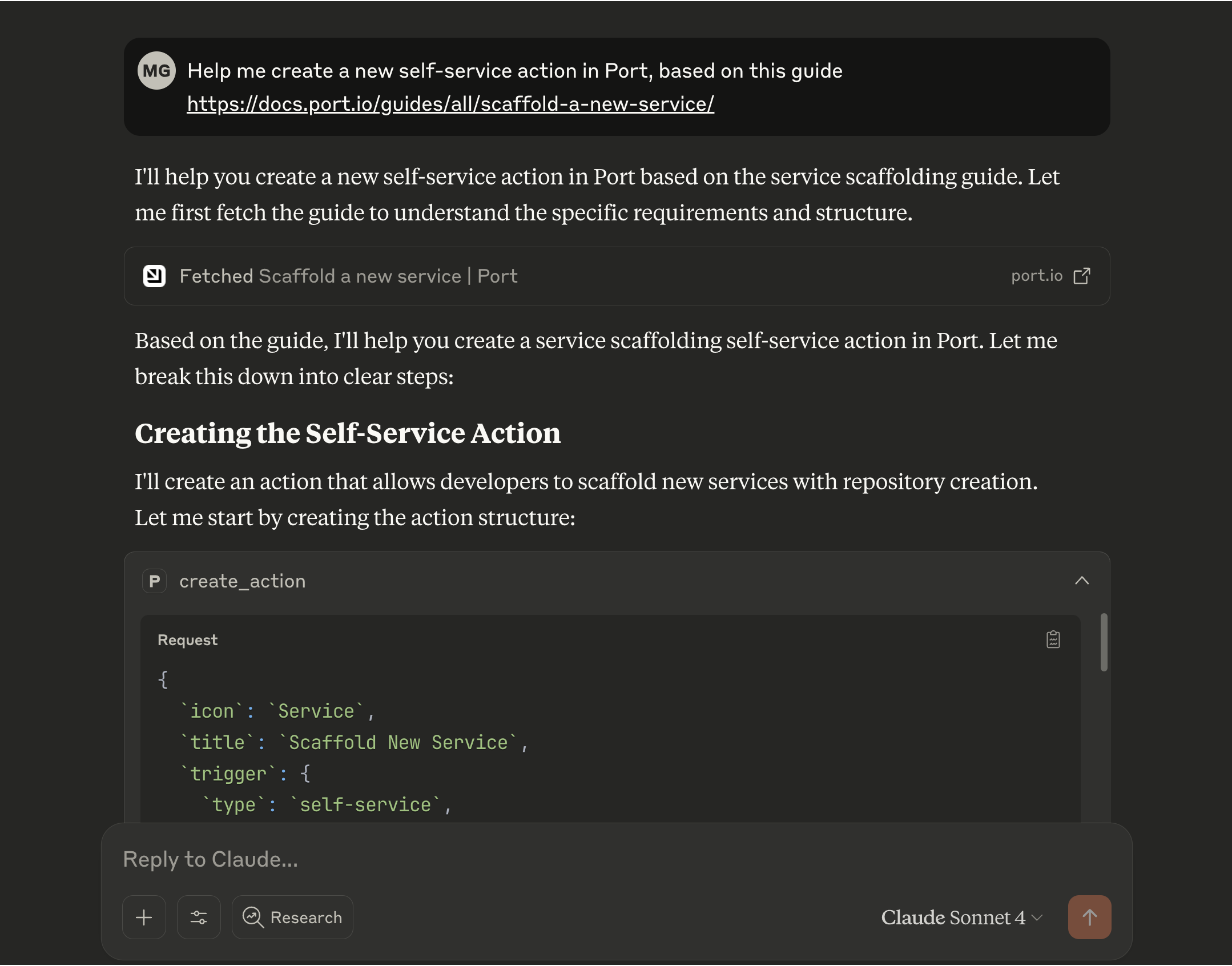
Leverage Claude's capabilities to manage and build your entire Port software catalog. You can create and configure blueprints, set up self-service actions, design scorecards, and more.
- Ask: "Please help me apply this guide into my Port instance - [[guide URL]]"
- Ask: "I want to start managing my k8s deployments, how can we build it in Port?"
- Ask: "I want a new production readiness scorecard to track the code quality and service alerts"
- Ask: "Create a new self-service action in Port to scaffold a new service"
Analyze scorecards and quality
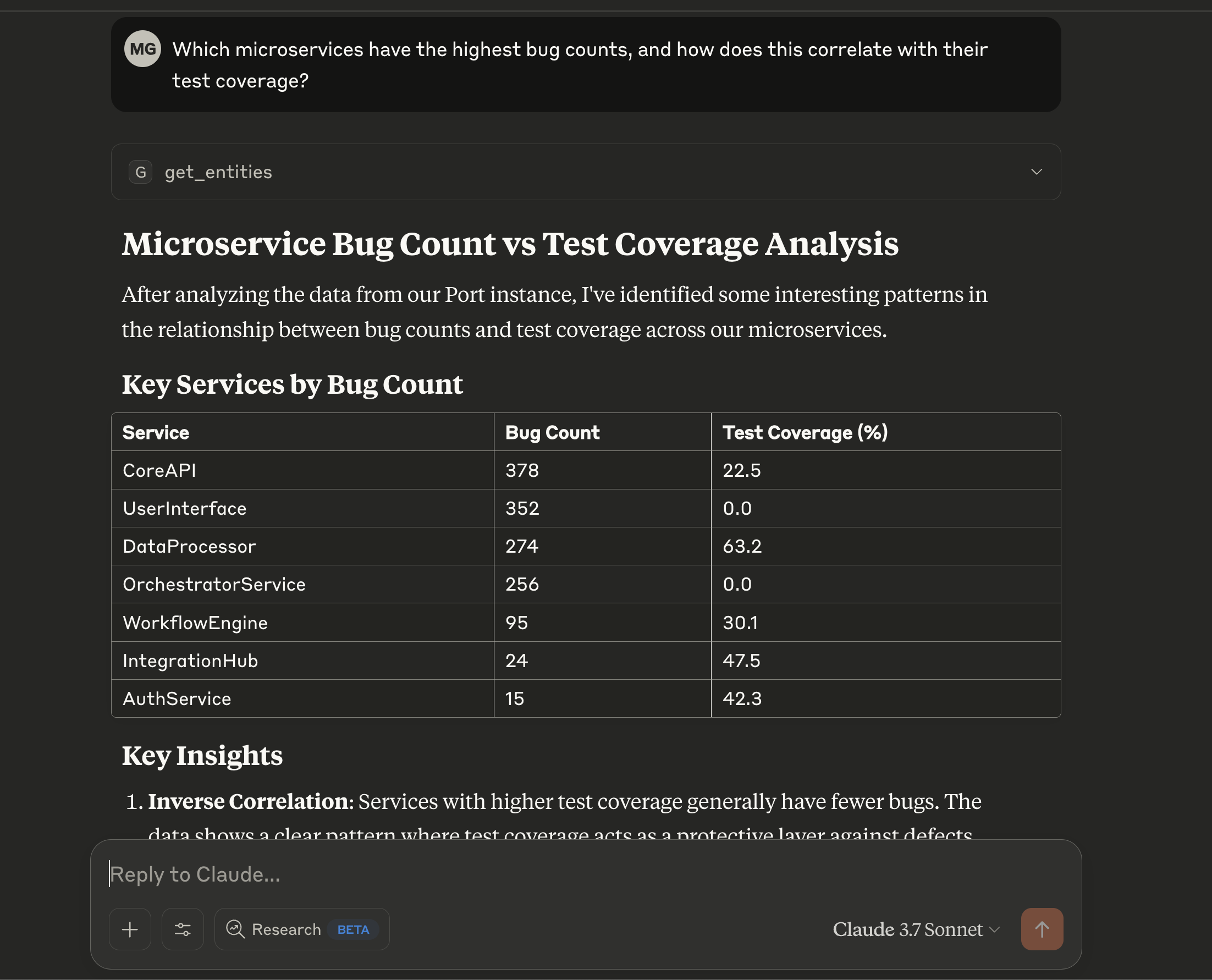
Gain insights into service health, compliance, and quality by leveraging Port's scorecard data. Identify areas for improvement and track progress against your standards.
- Ask: "Which services are failing our security requirements scorecard?"
- Ask: "What's preventing the 'InventoryService' from reaching Gold level in the 'Production Readiness' scorecard?"
- Ask: "Show me the bug count vs. test coverage for all Java microservices."
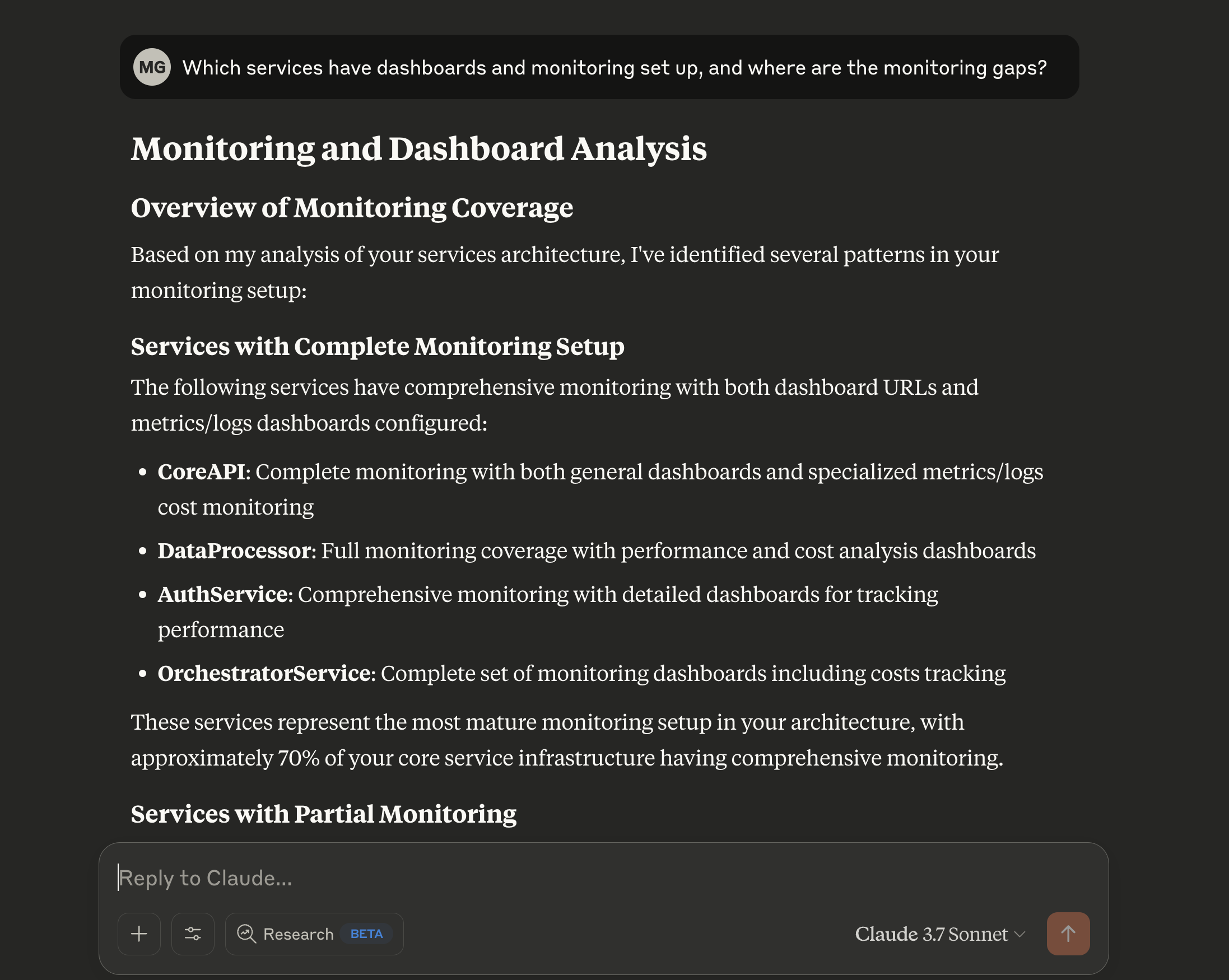
- Ask: "Which of our services are missing critical monitoring dashboards?"
Streamline development and operations
Receive assistance with common development and operational tasks, directly within your workflow.
- Ask: "What do I need to do to set up a new 'ReportingService'?"
- Ask: "Guide me through creating a new component blueprint with 'name', 'description', and 'owner' properties."
- Ask: "Help me add a rule to the 'Tier1Services' scorecard that requires an on-call schedule to be defined."
Find your own use cases
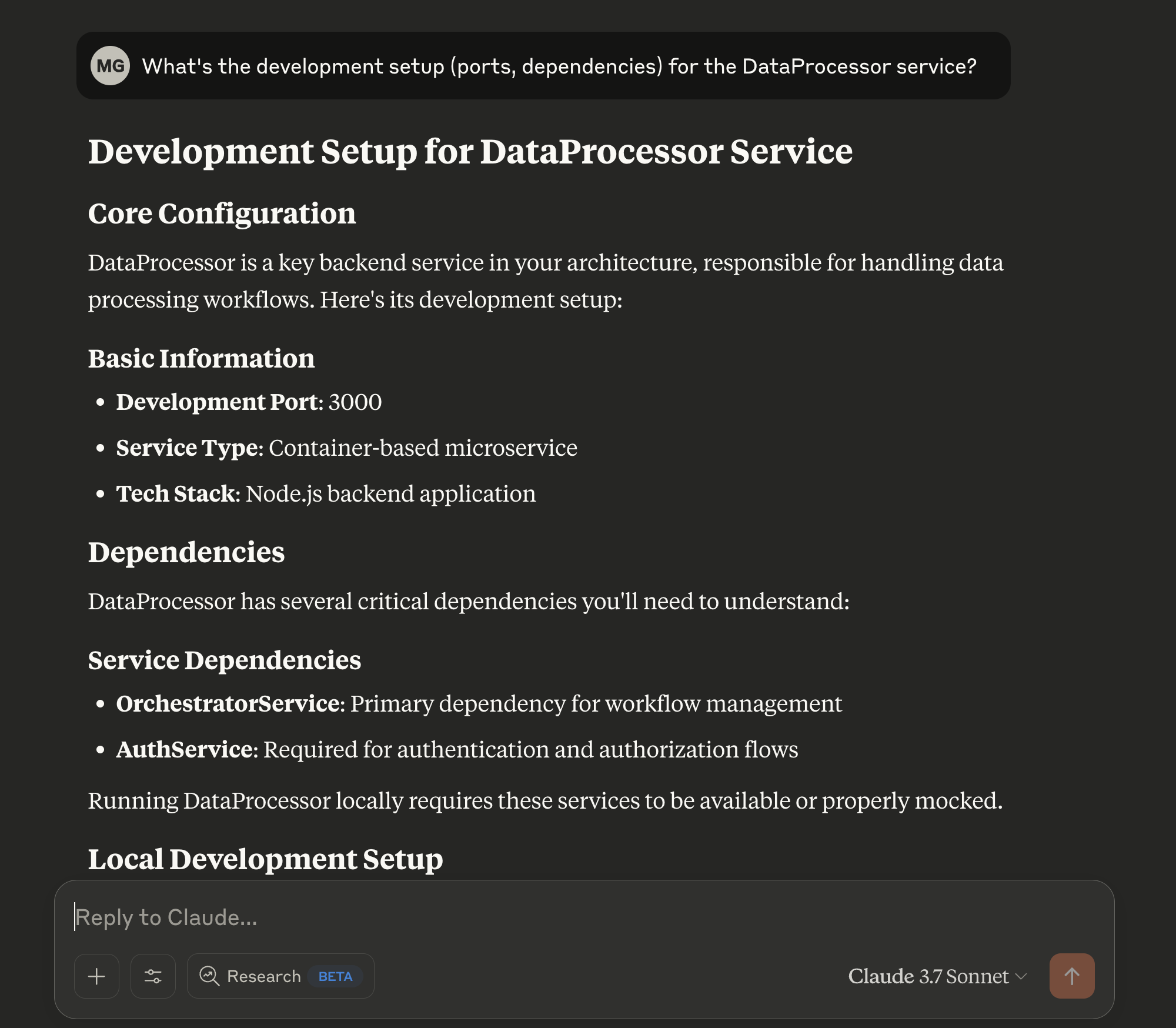
You can use Port's MCP to find the use cases that will be valuable to you. Try using this prompt: "think of creative prompts I can use to showcase the power of Port's MCP, based on the data available in Port"
FAQ
Do I need to accept the Port AI Terms to use the MCP server? (Click to expand)
No. The Port MCP server is not a Port AI feature. You do not need to accept the Port AI Terms or sign an AI addendum.
Does the Port MCP server use Port AI or send my data to Port's AI models? (Click to expand)
No. Port exposes your catalog data and actions as MCP tools only. It does not run LLM inference or process requests through Port AI. Your MCP client (for example, Cursor or Claude) runs the LLM and calls Port tools on your behalf.
Do I need Port AI permissions or _ai_invocation access? (Click to expand)
No. MCP access is controlled by your regular Port user permissions. The _ai_invocation blueprint is required only for Port AI interfaces, not the MCP server.
What is the difference between the Port MCP server and Port AI? (Click to expand)
| Port MCP server | Port AI | |
|---|---|---|
| What it is | MCP tools for external clients | Built-in AI (assistant, API, widgets) |
| Who runs the LLM | Your client (Cursor, Claude, Copilot) | Port |
| Port AI Terms required | No | Yes |
Both use the same underlying MCP tools, but the MCP server does not require Port AI to be enabled.
Getting started
Ready to connect your IDE or AI assistant to Port? See the installation guide for step-by-step setup instructions for Cursor, VS Code, Claude, Codex CLI, and more.