Mapping extensions
Overview
The default way to map your data to Port is by using JQ JSON processor to map and transform your data to Port entities.
However, in some cases you may want to map data to Port in a way that default JQ mapping is not enough.
Common use cases:
- Map your repository README.md file contents into Port;
- Check if a specific file exists in your repository;
- Check if a specific string exists in your repository;
- Check if a specific version of a package is used in your repository;
- Check if a CI/CD pipeline is configured in your repository;
Mapping file content into Port
The following example demonstrates how to define and export your GitLab projects and their README.md file contents to Port:
Project blueprint (click to expand)
{
  "identifier": "service",
  "title": "Service",
  "icon": "Microservice",
  "schema": {
    "properties": {
      "url": {
        "title": "URL",
        "type": "string",
        "format": "url"
      },
      "readme": {
        "title": "README",
        "type": "string",
        "format": "markdown"
      },
      "description": {
        "title": "Description",
        "type": "string"
      },
      "language": {
        "title": "Language",
        "type": "string"
      },
      "namespace": {
        "title": "Namespace",
        "type": "string"
      },
      "fullPath": {
        "title": "Full Path",
        "type": "string"
      },
      "defaultBranch": {
        "title": "Default Branch",
        "type": "string"
      }
    },
    "required": []
  },
  "mirrorProperties": {},
  "calculationProperties": {},
  "relations": {}
}
As we can see one of the properties is of type markdown, this means that we need to map the README.md file contents into Port.
To do so, we will use the includedFiles selector to specify which files to fetch, and then reference them in the mapping using .__includedFiles["<file_path>"].
  - kind: project
    selector:
      query: "true"
      includedFiles:
        - README.md
    port:
      entity:
        mappings:
          identifier: .path_with_namespace | gsub(" "; "")
          title: .name
          blueprint: '"service"'
          properties:
            url: .web_url
            readme: .__includedFiles["README.md"]
            description: .description
            namespace: .namespace.name
            fullPath: .namespace.full_path
            defaultBranch: .default_branch
The file:// prefix is deprecated and will be removed in a future version. Use the includedFiles selector instead.
The file:// prefix will continue to work but will show deprecation warnings in the logs.
Search checks
We can use the GitLab exporter to perform search checks on our repositories to ensure that they are compliant with our organization's policies and standards.
With Port Scorecards and the search checks feature, organization can define a set of checks that will be performed on each repository, and the results of those checks will be reflected in the repository's scorecard in Port which will help the organization to identify repositories that are not compliant with the organization's policies and standards.
How it works
The search checks are performed using the GitLab Advanced Search API.
This means that any search query supported by the GitLab Search API can be used with the GitLab exporter.
Using searchQueries selector
To perform search checks, use the searchQueries selector to specify which search queries to execute, and then reference the results in your mapping using .__searchQueries["<name>"].
Each search query in the searchQueries list should have:
name- A unique name for this search query, used as the key in__searchQueries.scope- The GitLab search scope (e.g.,blobs,commits,wiki_blobs, etc.). Defaults toblobsif not specified.query- The search query string (e.g.,filename:port.yml).
The results are stored under __searchQueries[<name>] as a boolean (true if matches found, false otherwise).
Search checks examples
- Check whether the project contains a
README.mdmd file:filename:README.md. - Check whether the project contains tests:
filename:test_* extension:py. - Check whether the project has GitLab CI configured:
filename:.gitlab-ci.yml. - Check whether the project uses fastapi in the
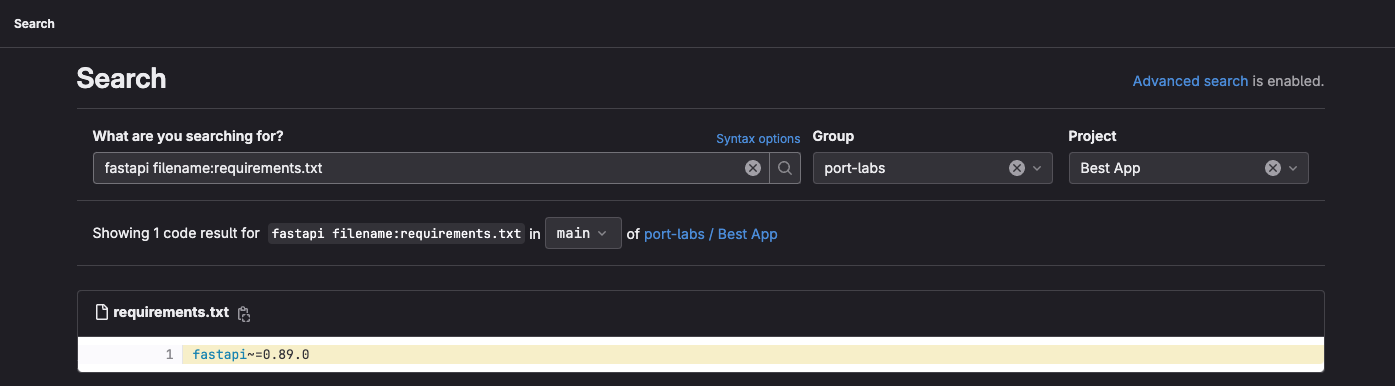
requirements.txtfile:fastapi filename:requirements.txt.
In the screenshot below we can see that we use the exact same query as GitLab advanced search
Integration config example
  - kind: project
    selector:
      query: 'true'
      includedFiles:
        - README.md
      searchQueries:
        - name: hasLicense
          scope: blobs
          query: 'filename:"LICENSE"'
        - name: usingFastapiPackage
          scope: blobs
          query: 'fastapi filename:requirements.txt'
        - name: hasCI
          scope: blobs
          query: 'filename:.gitlab-ci.yml'
        - name: usingOldLoggingPackage
          scope: blobs
          query: 'logging extension:py'
        - name: hasTests
          scope: blobs
          query: 'filename:test_* extension:py'
    port:
      entity:
        mappings:
          identifier: .path_with_namespace | gsub(" "; "")
          title: .name
          blueprint: '"service"'
          properties:
            url: .web_link
            description: .description
            namespace: .namespace.name
            fullPath: .namespace.full_path
            defaultBranch: .default_branch
            readme: .__includedFiles["README.md"]
            hasLicense: .__searchQueries["hasLicense"]
            usingFastapiPackage: .__searchQueries["usingFastapiPackage"]
            hasCI: .__searchQueries["hasCI"]
            usingOldLoggingPackage: .__searchQueries["usingOldLoggingPackage"]
            hasTests: .__searchQueries["hasTests"]
The search:// prefix is deprecated and will be removed in a future version. Use the searchQueries selector instead.
The search:// prefix will continue to work but will show deprecation warnings in the logs.
The new approach provides better performance and clearer configuration, as all search queries are defined in one place in the selector.
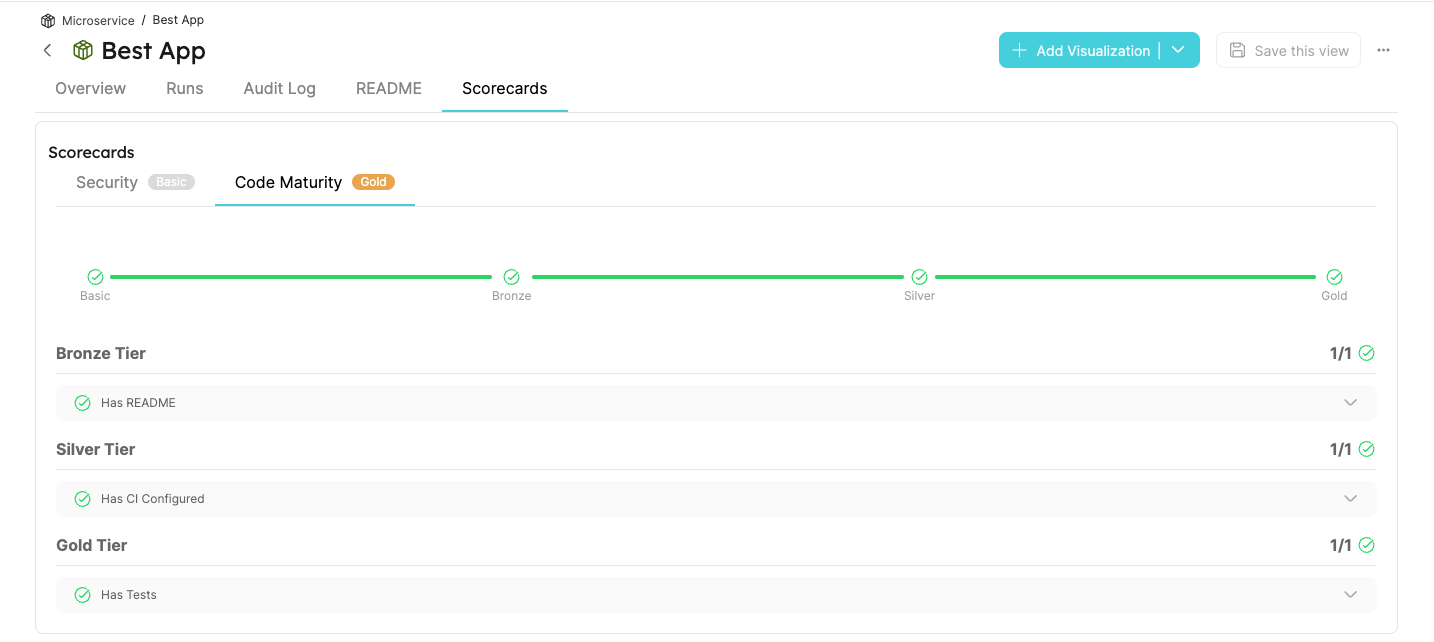
Example of a Scorecard that reflects the results of the search checks: