Credentials & secrets
Port provides a secure place to manage sensitive data for your organization. This includes API credentials for authenticating with Port's API, and secrets used in Port components such as integrations and automations.
Credentials
Port generates a unique set of credentials for each organization. Use these to authenticate with Port's API.
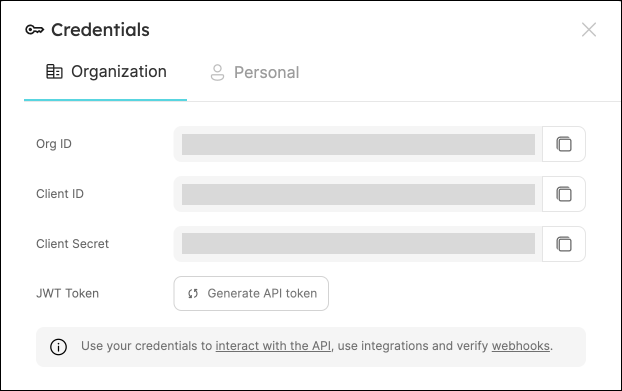
To view your organization credentials, go to your Port application, click on your profile picture  , and select
 Credentials.
Here you can view and copy your client ID, client secret, and organization ID:
Treat your client secret like a password. Do not share it or expose it in client-side code or version control.
Secrets
Port secrets allow you to store sensitive values such as tokens and passwords used across different Port components.
Port secrets can be used in:
- Port-hosted integrations - any integration installed using the "Hosted by Port" method, for example: Datadog.
- Self-service actions payload.
- Automations payload.
Managing secrets
To view your organization secrets:
- In your Port application, click on your profile picture , and select Credentials.
- In the Credentials window, choose the Secrets tab.
To create a new secret, click on the + Secret button.

After creating a secret, you will be able to view its value only once.
Afterwards, you will be able to delete the secret or edit its value, but not view it.
Referencing secrets
To reference a secret in your action or automation payloads, use the following syntax:
"token": "{{ .secrets.MY_SECRET_NAME }}"
If your secret name contains hyphens or special characters, use bracket notation:
"token": "{{ .secrets[\"my-secret-name\"] }}"
Security
- Port secrets reside in Port's infrastructure (hosted on AWS), per organization, meaning no other organization has access to your secrets.
- Secrets are
AES-256encrypted at rest, and are only decrypted when needed. - Secrets are encrypted in transit using
TLS 1.2.